Save recipes
from any video.
Share a reel to Hugo and it comes back as a clean recipe you can actually cook, with every ingredient and every step laid out.


You saved it. You never cooked it.
The recipes you love are scattered across apps you can’t cook from. Hugo puts them somewhere you can.
Most apps read the caption.
Hugo watches the video.
The caption almost never has the full recipe. Here is the difference that makes.
the best pasta you will make all year. full recipe in the comments
#pasta #dinner #easyrecipes
None of these numbers were in the caption.
From cooks who got here first.
Very friendly and nice app
“Hugo has been such a game changer for me! I’m definitely not a master chef, so having an app that actually walks me through recipes step by step makes such a difference. What I like most is that it helps me tweak things when needed…”
Saved me
“Really good. I never lost a recipe again.”
Everything you save, in one place.
Every recipe you save lands in one searchable library. Group them into collections like Quick Dinners or Date Night, favorite the ones you come back to, and never lose a recipe to a dead link again. Where a recipe lists enough to go on, Hugo also works out the calories and macros per serving from USDA food data.
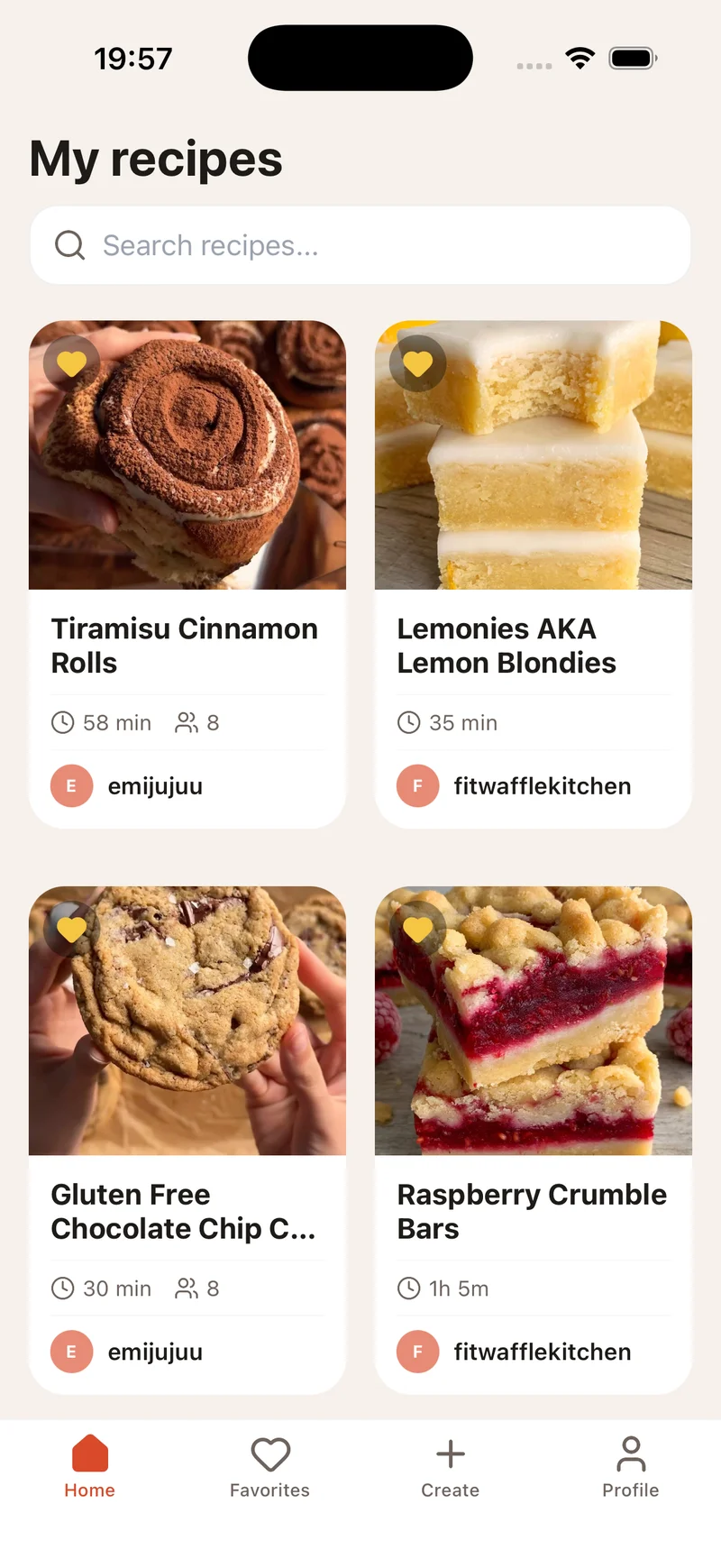
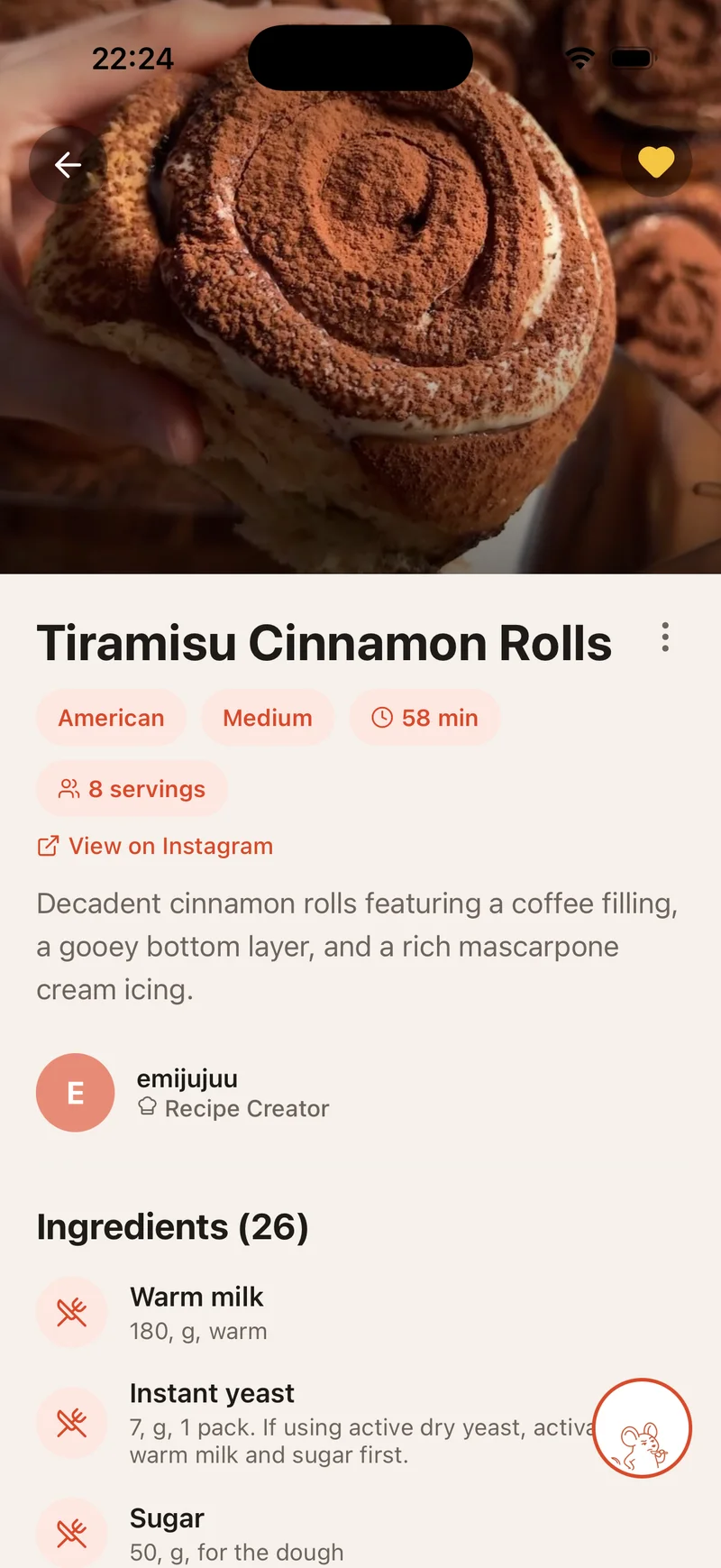
Then Hugo helps you actually cook it.
Saving the recipe is the easy part. The rest of it happens in your kitchen.
A shopping list that builds itself
Add one recipe, or a whole week of them, in one tap. Hugo groups everything by aisle and merges the duplicates, so you shop once and forget nothing.
Step by step, hands free
Big clear steps with a timer on each one. Tap any ingredient to switch between metric and imperial. Your screen stays awake the whole time.
Stuck? Just ask.
Hugo knows the recipe.
Chat with any recipe. Make it gluten-free, scale it to 8, or find something to use instead of the guanciale you don’t have. The recipe updates as you talk, and you always keep the original.
Found it in Italian?
Cook it in yours.
Save a recipe in any language and Hugo notices it isn’t in yours, then offers to translate the whole thing. Ingredients, steps and units all come across, not just the words.
- Hugo spots when a recipe isn’t in your language and offers to translate
- Tap the translate icon on any recipe to switch languages instantly
- Translate into a new language on demand, right in the recipe
- Ingredients, steps and units come across cleanly
- Save foreign reels and cook them like they were written for you
Free to start. Pro when you want more.
Unlimited imports from $2.92 a month, billed yearly. Subscribe in the app, cancel anytime. Your cookbook stays yours either way.
- 8 imports to start, then topped up to 3 a week
- Unlimited cookbook, favorites and collections
- Cook mode, shopping list and sharing
- Manual recipes, calories and macros from USDA data
- A starting allowance of Hugo chat
- Everything in Free
- Unlimited social and web imports
- Unlimited Hugo chat on every recipe
- Translate any recipe into your language
Prices vary by country and are set by the App Store and Google Play. Subscriptions and upgrades are managed in the app.
The usual stuff.
What is Hugo, really?
Hugo saves the recipes you find on Instagram, TikTok, YouTube and Facebook, and turns them into clean recipes you can actually cook. Everything you save lands in one searchable cookbook, with hands-free cook mode, a shopping list and translation built in.
How does importing work?
Share a recipe to Hugo from Instagram, TikTok, YouTube or Facebook, or paste a link. Hugo reads the post or page, pulls out the ingredients, steps and timings, and saves a clean version to your cookbook with a link back to the original creator.
What can I import from?
Instagram reels and posts, TikTok videos, YouTube videos, Facebook posts, and most recipe websites and blogs. If something fails to extract, you can paste the text directly and Hugo will organize it for you.
Can I add my own recipes?
Yes. Build one from scratch with a guided flow: cover photo, ingredients with units, step-by-step instructions and notes. Family recipes and the ones from a book live in the same cookbook as everything you save.
Does Hugo watch the video, or just read the caption?
Hugo watches the whole video and reads the creator’s pinned comment, where the real recipe often hides. That is how it pulls every ingredient, step and timing, even when the caption barely describes the dish.
Can I change a recipe after I save it?
Yes. Ask Hugo to make it gluten-free, scale it to 8, or swap an ingredient you don’t have, and the recipe updates as you talk. Hugo knows your cookbook, your allergies and your diet, so you never repeat yourself, and you always keep the original. You can also edit any recipe by hand and keep private notes only you can see.
Does Hugo show nutrition information?
On recipes with enough detail, yes. Hugo matches each ingredient against USDA food data and works out the calories, protein, carbs and fat per serving. It is a considered estimate rather than a lab measurement, so the real numbers move with the brands you buy and the amounts you use. When a recipe does not list enough to go on, Hugo shows nothing rather than guessing.
Is Hugo free?
You start with 8 imports and get 3 more every week, and the cookbook, favorites, collections, cook mode, shopping list and sharing are free. Pro adds unlimited imports and unlimited Hugo chat across your whole library.
How many recipes can I import for free?
You start with 8 when you sign up. After that Hugo tops you back up to 3 every week, so there is always something there when you find a recipe worth cooking. It is a top-up to 3 rather than 3 added on top, so imports do not stack while you are away and a quiet month will not leave you with a pile of them waiting. Pro removes the limit.
Is my data private?
Yes. Your cookbook is private by default. We don’t index it, we don’t sell it, and we don’t scrape it for training. You can delete your account and all your data at any time.
Is Hugo on Android?
Yes. Hugo is live on Google Play, and your cookbook syncs across iPhone and Android.
Can I cancel Pro?
Anytime. On iPhone from your App Store subscriptions, on Android from Google Play, then Payments and subscriptions. You keep Pro until the end of your billing period, then drop back to Free, and your cookbook stays exactly as you left it.
Your cookbook is waiting.
Free to download, with 8 imports included. Start with the reel you saved last night.